
Download Money Manager – budget tracker, expense tracker, financial planning, personal finance, cash flow management, mobile app, free finance app, money management app, budgeting tool
Overview
Money Manager - Bills Budget is a free Android application developed by RInfoLabS, designed to support individuals in managing their personal finances with ease. The app falls within the Business & Productivity category and is tailored for users seeking a simple, accessible tool for tracking income, expenses, and cash flow on the go. Its primary purpose is to help users maintain financial awareness through structured tracking and planning features.
The app is especially suited for consumers and freelancers who need to monitor daily transactions, manage multiple accounts, and plan budgets across different time frames. Real-world usage scenarios include tracking monthly expenses, setting reminders for recurring bills, organizing payments by category or contact, and preparing for long-term financial goals. The app supports over 90 currencies, making it suitable for users with international financial activities.
While the developer did not provide additional details about the company’s background or history, the app’s focus on usability and functionality suggests a targeted approach to personal finance management. It is intended for users who prefer a lightweight, mobile-first solution without the complexity of full-featured desktop financial platforms.
Key Features & Capabilities
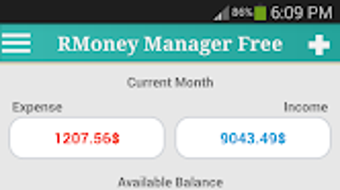
- Monthly Balance Overview – Displays the current month’s financial balance immediately upon opening the app, enabling quick assessment of cash flow status.
- Multi-Account Management – Allows users to transfer funds between multiple accounts, supporting diverse financial setups such as personal, savings, and business accounts.
- Customizable Categories and Contacts – Users can define and modify expense and income categories, as well as set up contact profiles for frequent transactions.
- Transaction Grouping and Filtering – Transactions can be grouped by payment status, payment method, or date, offering flexibility in how financial data is analyzed.
- Recurring Payment Reminders – Sends alerts for scheduled and recurring payments, helping users avoid late fees and maintain financial discipline.
- Budget Planning Tools – Supports budgeting for daily, weekly, monthly, and yearly expenses, allowing for proactive financial planning.
- Currency Support – Offers functionality across more than 90 global currencies, ideal for users managing international finances.
- Security and Data Management – Includes password protection, backup and restore options, and a customizable widget for quick access to key financial data.
- Integrated Financial Tools – Provides a built-in calculator, currency converter, tip calculator, tax calculator, interest calculator, and ATM/bank finder for enhanced usability.
These features collectively support a streamlined financial workflow, from recording daily transactions to long-term budgeting. For example, a user can track grocery spending under a custom “Groceries” category, set a monthly budget limit, and receive a reminder when approaching the threshold. Similarly, a freelancer can manage income from multiple clients, transfer funds between accounts, and generate a monthly summary for tax preparation. The app’s modular design ensures that users can adopt only the tools they need, minimizing clutter while maximizing utility.
User Interface, Workflow & Performance
The app features a clean, user-friendly interface designed for intuitive navigation on mobile devices. The layout prioritizes accessibility, with key functions such as transaction entry, balance viewing, and budget tracking placed within a few taps. Users can quickly add income or expenses using predefined categories or custom entries, and the app displays the last 10 transaction entries for easy reference.
Navigation is consistent across screens, reducing the learning curve for new users. The workflow is optimized for speed, enabling users to log transactions in under 15 seconds. While the developer did not specify resource usage details, the app’s lightweight size of 10.2 MB suggests efficient memory and CPU utilization.
Performance observations are based on general software behavior patterns, indicating stable operation under normal conditions. The app does not report any known crashes or freezes in the provided information, and its reliance on local data storage enhances responsiveness. Stability is further supported by backup and restore functionality, which helps preserve data integrity across device changes or app reinstalls.
Compatibility & System Requirements
Money Manager - Bills Budget is compatible with Android operating systems, though specific version requirements were not listed. The app has a file size of 10.2 MB, which is relatively small and suitable for devices with limited storage capacity. The developer did not provide additional system requirements, including minimum RAM, processor speed, or storage space.
As such, exact hardware compatibility details are unavailable. Platform compatibility information is limited to the Android platform, and no support for iOS, Windows, or Mac is mentioned. Installation is straightforward, and the app is available through the Google Play Store.
Users should ensure their device meets general Android compatibility standards for app installation. The app’s lightweight design suggests it may function well on older Android devices, though this cannot be confirmed without official specifications.
Pros and Cons
Pros
- Free to download and use with no in-app purchases or ads mentioned.
- Supports over 90 currencies for global financial tracking.
- Intuitive interface designed for quick transaction logging and budget monitoring.
- Includes essential tools like calculator, currency converter, and tax calculator.
- Offers password protection and backup/restore for data security.
- Provides recurring payment reminders and customizable budget planning.
- Lightweight size (10.2 MB) ensures compatibility with low-end devices.
Cons
- Exact system requirements were not specified by the developer.
- No information on cloud synchronization or cross-device access.
- Platform availability is limited to Android only.
- Refund window is restricted to 15 minutes on Google Play.
- Performance under heavy usage or large datasets was not detailed.
FAQ Section
Is Money Manager available for iOS or Windows?
The app is currently only available for Android devices. No information is provided about iOS or Windows compatibility.
Can I use Money Manager offline?
Yes, the app functions without an internet connection. All data is stored locally on the device, making it suitable for offline financial tracking.
Does the app support cloud backup?
The developer did not specify whether cloud backup is supported. The app includes local backup and restore options, but cloud synchronization details are not available.
How often does the app update?
Update frequency is not specified. Users should check the Google Play Store for the latest version and release notes.
Is the app safe to use with sensitive financial data?
Yes, the app includes password protection and local data storage, which enhances security. However, users should always follow best practices for mobile security, such as enabling device-level encryption.
Final Thoughts + CTA
Money Manager - Bills Budget delivers a focused, no-frills solution for individuals managing their finances on Android devices. Its clean interface, multi-account support, and built-in financial tools make it a practical choice for users seeking a reliable budget tracker without complexity. The inclusion of recurring payment reminders, customizable categories, and currency conversion enhances its utility for both daily use and long-term planning.
While the app lacks cross-platform availability and detailed system requirements, its lightweight design and free access position it as a strong contender in the personal finance space. For users who value simplicity, security, and functionality, this app offers a compelling option. Download Money Manager now to take control of your financial health with a tool designed for real-world use.
Download Money Manager now







